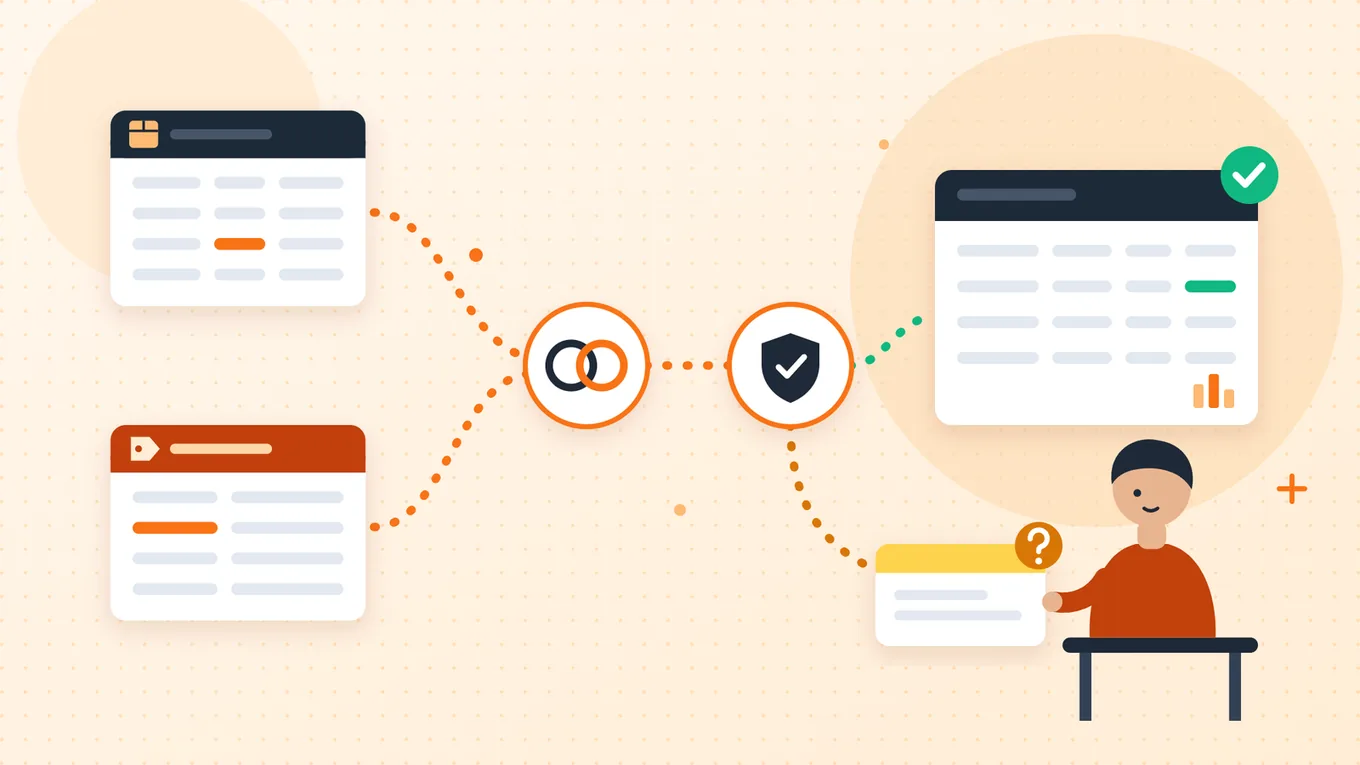
A data integration process identifies the source data a decision needs, aligns its meaning and structure, moves or exposes it to a destination, verifies the result and keeps it dependable. Permissions, ownership and recovery are part of the job, not extras. A connected source is not a finished integration: each stage needs an output, an owner and a test before the next one starts.
This guide is for operations leads working with a technical owner or an implementation partner to bring separate business datasets into one view people can trust. It follows one hypothetical example all the way through: a morning stock view built from a warehouse snapshot and a product master.
What the data integration process includes
Three terms carry most of the meaning. A source is a system or file that holds facts you need. A destination is where the integrated result lives, such as a reporting table. The grain is what one destination row represents. A one-time transfer moves data once; an integration keeps producing a trustworthy result as the sources change, so it needs owners, tests and a recovery plan.
Vendor lifecycles describe similar stages. SAP's data integration overview, for example, lists planning, mapping, ingesting, transforming and validating among the stages of a typical lifecycle, and notes that integration doesn't require all data to be physically consolidated into a single system. The eight steps below are our way of organizing the work, not an industry standard.
Eight steps, each with a deliverable and an owner
- OutcomeOutcome contract: question, users, scope, freshnessBusiness owner
- SourcesSource inventory with authority, keys and accessSource owners
- MappingGrain, identity and field mapping tableData owner and technical owner
- QualityQuality rules and named exception ownersData owner
- MethodDelivery choice that meets freshness and access needsTechnical owner
- BuildStaging, validation and a review queue, with provenanceIntegration owner
- TestingReconciliation results and a signed acceptance checklistBusiness and technical owners
- OperationMonitoring, alerts and a rehearsed recovery runbookIntegration support owner
1. Start with the decision the data must support
Write down what someone will do differently once the data exists. That sentence sets everything else: which sources matter, how fresh the data must be, and what a failure costs. Name the users, the scope and what is out of scope.
Freshness deserves its own line. "Before 08:00" is a requirement; "the job ran" is not proof it was met. Decide now how users will see that data is late or incomplete.
2. Inventory sources and assign owners
For each fact in the outcome, decide which source is authoritative. Then record how each source is identified, how often it changes, how it can be reached and who answers questions about it. Confirm with each owner which fields you may use, and how long you may keep them.
| Source | Authoritative for | Key | Update cadence | Access route | Owner |
|---|---|---|---|---|---|
| Warehouse stock snapshot | On-hand and reserved quantities at the snapshot time | item_code + site + snapshot_id | Daily export at 07:00 local time | Read-only file export | Warehouse owner |
| Product master | Internal product identity and unit conversion | product_id; approved code mapping | When products change | Read-only query | Product data owner |
| Permitted warehouses list | Which warehouse codes are valid | warehouse_id | Rarely | Maintained reference list | Warehouse owner |
Keep credentials out of documents like this one: record the access route, not passwords or API keys. Tools need that access in place before anything else happens. Boomi's Data Integration quick start, for instance, lists valid source and target credentials as prerequisites and creates connections before a data flow can be built.
3. Agree identity, grain and field mappings
Decide what one destination row represents before you map a single field. In this example, the grain is one product, in one warehouse, in one declared snapshot. Product identity alone is not the row key: the same product sits in several warehouses, and keeping the snapshot identifier lets you compare history and rerun a load without creating a second copy of the same row.
Matching column names isn't enough either. Microsoft's documentation for Azure Data Factory schema mapping explains that its copy activity maps source to sink by column names, case-sensitively, by default, and that explicit mapping lets you choose which fields map where. Even a correct name match can carry the wrong unit, time zone or identifier, so each mapping needs a stated rule.
| Source and example value | Destination | Rule | Owner if unresolved |
|---|---|---|---|
Warehouse item_code = WH-042; master lookup WH-042 → P-042 | product_id = P-042 | Use the approved exact mapping. An unknown code goes to review; never fuzzy-match automatically. | Product data owner |
Warehouse site = NORTH | warehouse_id = NORTH | Validate against permitted warehouses. Never collapse warehouses into one product total. | Warehouse owner |
snapshot_id = SNAP-20261108-0700 | snapshot_id | The export contract supplies a unique snapshot identity. A missing identity blocks ingestion. | Integration owner |
on_hand_cases = 12; master units_per_case = 6 | on_hand_units = 72 | Non-negative whole cases × approved positive conversion. Record the conversion version used. | Product data owner |
reserved_cases = 2, same conversion | reserved_units = 12 | Reserved must not exceed on-hand in this stock model. Other businesses may model stock differently. | Warehouse owner |
| Derived: 72 − 12 | sellable_units = 60 | Rule approved by operations. Quarantine inconsistent inputs instead of forcing them to zero. | Operations lead |
snapshot_at = 2026-11-08T07:00:00+10:00 | snapshot_at_utc = 2026-11-07T21:00:00Z | Convert using the explicit offset and keep the source timestamp. An unzoned timestamp needs a source contract, not a guessed locale. | Source owner |
| Run, source file reference, mapping version | run_id, source_ref, mapping_version | Store provenance apart from business keys. A new run ID must not create duplicate business rows. | Integration owner |
From warehouse cases to sellable units
Source fields
on_hand_cases12reserved_cases2units_per_case6 (product master)
Approved rules
- 12 × 6 = 72
- 2 × 6 = 12
- 72 − 12 = 60
Destination row P-042 / NORTH
on_hand_units72reserved_units12sellable_units60
4. Check data quality before choosing a delivery method
Profile a real sample before you build anything. Classify what a rule can correct, what must be rejected and what needs a person. A costly mistake is a silent guess: an unknown product code quietly matched to the "closest" product looks fine in a dashboard and is wrong in the warehouse.
| Rule | Example failure | Automatic action | Resolved by |
|---|---|---|---|
| Every item code maps to exactly one product | WH-077 has no approved mapping | Keep the raw record and quarantine it with a reason | Product data owner |
| Warehouse code is permitted | site = NORTH-2 is not on the list | Quarantine the record | Warehouse owner |
| Quantities are non-negative whole cases | on_hand_cases = -3 | Block the record and show source values | Warehouse owner |
| Reserved does not exceed on-hand | Reserved 14 cases, on-hand 12 | Block the record under this stock model | Operations lead |
| Timestamp carries an explicit offset | 07:00 with no zone | Stop the snapshot until the contract is fixed | Source owner |
| One payload per key | Same key, two different quantities | Hold as a conflict; keep both payload references | Source owner |
Write these rules down with their owners before choosing tools. They become your test cases in step 7.
5. Choose the simplest suitable implementation
Only now choose how data moves. Three approaches to consider are architecture choices, not interchangeable products:
- Scheduled batch: load a complete snapshot or file at set times. It suits the example, which needs one reliable view each morning.
- Change- or event-driven delivery: send changes as they happen. It suits outcomes that need fresher data, at the cost of more moving parts.
- Querying data in place: read sources through a virtual layer without copying them. It depends on the sources tolerating the extra query load.
Let these questions decide: how fresh must the output be; how much load can each source take; what interfaces the sources actually support; how much data and how many transformations; and who will maintain the result. A deeper comparison of methods is a separate topic. Start with the simplest approach that meets the freshness and reliability requirements.
6. Build in a controlled environment
Keep incoming data apart from published data. Load each run into staging, validate it, and publish only what passes. Records that fail go to a review queue with the reason attached, so nothing disappears and nothing is half-published.
- Land the source snapshot in staging, unchanged
Record
run_id,source_refand the time received. - Apply the mapping version and quality rules Failed or ambiguous records: review queue, with the rule that failed and the owner
- Reconcile the run
Every input record is accepted, classified as a duplicate, or quarantined.
- Publish the validated snapshot
Keyed by product, warehouse and snapshot: a rerun updates the same rows instead of adding new ones.
Document how inserts, updates, deletes and late records behave for each source. A daily snapshot and a change feed represent deletions differently, so don't assume one rule fits both. Keep the mapping version with every published row so you can explain any number later. And don't assume every platform handles transactions or restart checkpoints the same way: check what yours does.
7. Test the business meaning and reconcile the output
A green run proves the job finished. It doesn't prove the answer is right. Test with records whose correct outcome you already know: normal, invalid, duplicate, conflicting and late records, plus a missing feed, a changed schema and an interrupted run.
Compare like with like: the same cohort and the same cutoff, checking counts, keys and selected field values. Replication tools can help with part of this. AWS's Database Migration Service validation, for example, compares each source row with its corresponding target row and reports mismatches, and AWS notes that the validation queries consume additional resources. That works for replicated data. Transformed output, like this example's sellable units, has to be compared against the approved rules instead, because the source and destination rows are not supposed to be identical.
Every input record is accounted for
- 18 accepted valid unique keys
- 1 duplicate exact repeat, classified and not loaded twice
- 1 quarantined unmapped item code, sent to the product data owner
After the mapping is approved and the record replayed: 19 accepted unique rows plus 1 classified duplicate input, with the whole snapshot reconciled again.
Acceptance checklist
These are proposed checks to agree before release, not tests MVO has already run for anyone.
- The business user has approved the outcome, scope, source authority, row grain and freshness definition.
- Source owners have confirmed the access method, permitted fields, units, timestamp meaning and change and delete behaviour.
- Valid, missing, malformed, duplicate and conflicting samples each have an expected outcome.
- Mapping preserves identity and units; required fields can't silently become defaults or blanks.
- Counts reconcile for the same cohort, keys are unique, and selected transformed values match the rules.
- Joins are tested: a missing match or two master matches can't silently drop or multiply rows.
- An initial load, a repeated snapshot and a later snapshot each produce the specified result; corrections follow a version rule.
- Late and deleted data behave as the source contract says.
- A timeout-and-retry test shows no duplicate effect, and run records can reconstruct what happened.
- Missing-feed and schema-change tests reach the right owner, and users can see data age and incompleteness.
- Recovery and handover have been rehearsed; operations and technical owners approve the release.
8. Roll out, monitor and recover
Start with a read-only pilot for the people who will use the output, and agree what they see when data is stale. Track the age of the data separately from whether the job succeeded: a job can finish on time and still publish yesterday's snapshot.
Microsoft's Retry pattern guidance explains why care is needed. Transient faults such as brief network loss or a busy service are often worth retrying after a delay. But if an operation isn't idempotent, a retry can run it twice: a service might process a request successfully and fail to send the response, and the retry sends it again. That's why the example keys its rows by product, warehouse and snapshot, so a repeat lands on the same row.
| Failure | Automatic response | Accountable role and release evidence |
|---|---|---|
| Missing identifier or unknown product | Keep the raw record and quarantine it with a reason | Product data owner approves the mapping; a reviewer confirms sample output |
| Bad units, negative value, or reserved above on-hand | Block the record; show source values and the rule | Warehouse or operations owner resolves it under the documented stock model |
| Conflicting repeated key | Hold the conflict; keep both payload references | Source owner confirms the authoritative version |
| Missing or late warehouse feed | Mark the snapshot stale or incomplete; alert the named owner | Warehouse owner supplies the feed; integration owner reconciles the cutoff |
| Schema or permission failure | Stop the affected flow; no silent field dropping or endless retries | Technical or source owner restores the agreed contract or access and reruns tests |
| Transient failure or unknown write result | Limited retries only where safe; reconcile uncertain writes | Integration support owner verifies destination state and keys |
| Transformation change | Version the mapping; test before release | Operations owner approves meaning; technical owner approves the replay plan |
Every alert should carry the run ID, the affected source and snapshot, the failure class, the record count, the time of the last validated data and the owner. Don't log credentials or private payloads you don't need. The runbook should say how to pause ingestion, quarantine a bad run, confirm the last good state and authorize a replay. It should never rely on destructive rollbacks of real systems.
Useful measures to agree for operation: data age, unresolved exceptions by age and reason, source-to-destination discrepancies, failed and retried runs, and time to restore a validated output. Set the thresholds for your own use case. If the integrated data feeds a review or approval process, the exception design looks much like an invoice processing automation workflow.
When to pause or keep it simpler
Not every gap needs an automated integration yet. Pause and clarify first if:
- a source has no owner who can answer questions or approve changes;
- you aren't sure you're allowed to use or keep the data;
- identifiers don't line up and nobody owns the mapping;
- the business definition (for example, what "sellable" means) is still changing;
- the task happens rarely enough that a documented manual step is cheaper to run and check.
Clearing these up is part of the process. It is often faster than building around them.
Sources
Official documentation and guidance, checked 8 November 2026. Product documentation shows that product's documented behavior, not every system's.